
Why It’s Useful
Most people want to stay mindful of their nutrition — they just don’t want to open an app dozens of times a day to do it. Dishco understands you have busy days and checking your calorie progress can easily fall off the radar.
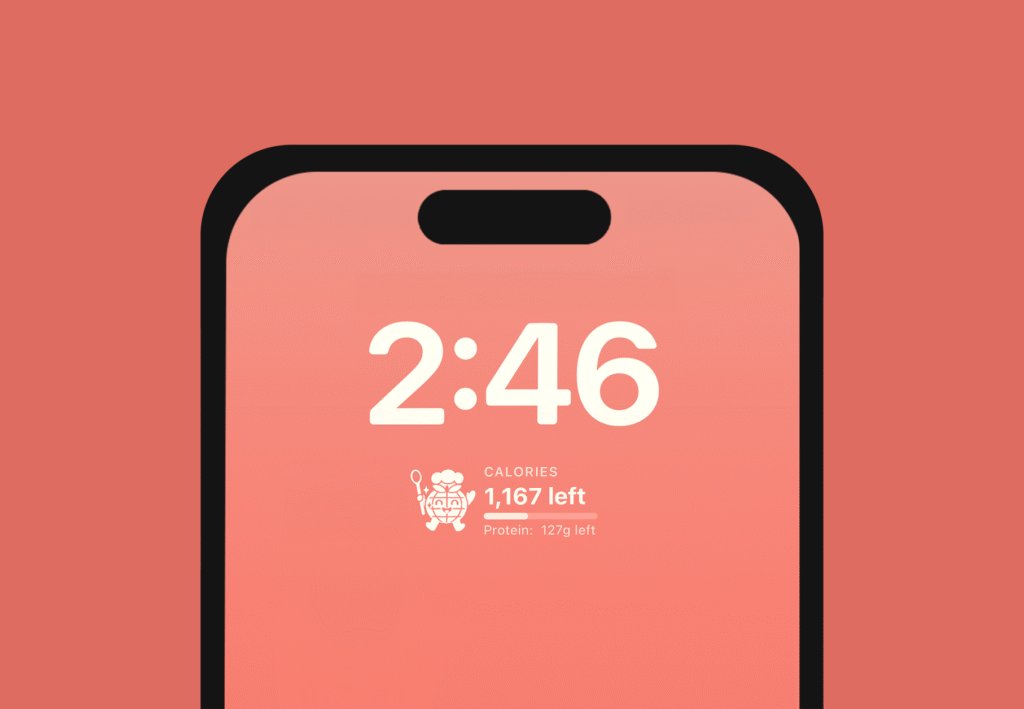
Dishco’s lock screen widget solves that problem with a simple, friendly glance. It gives you instant clarity on how many calories you’ve eaten and how many you still have available, without needing to unlock your phone or dive into the app. No friction, no extra steps — just the information you need to stay aligned with your goals.
The result: easier tracking, more consistency, and a simple tool that helps turn nutrition goals into everyday habits.
How To Install The Dishco Widget
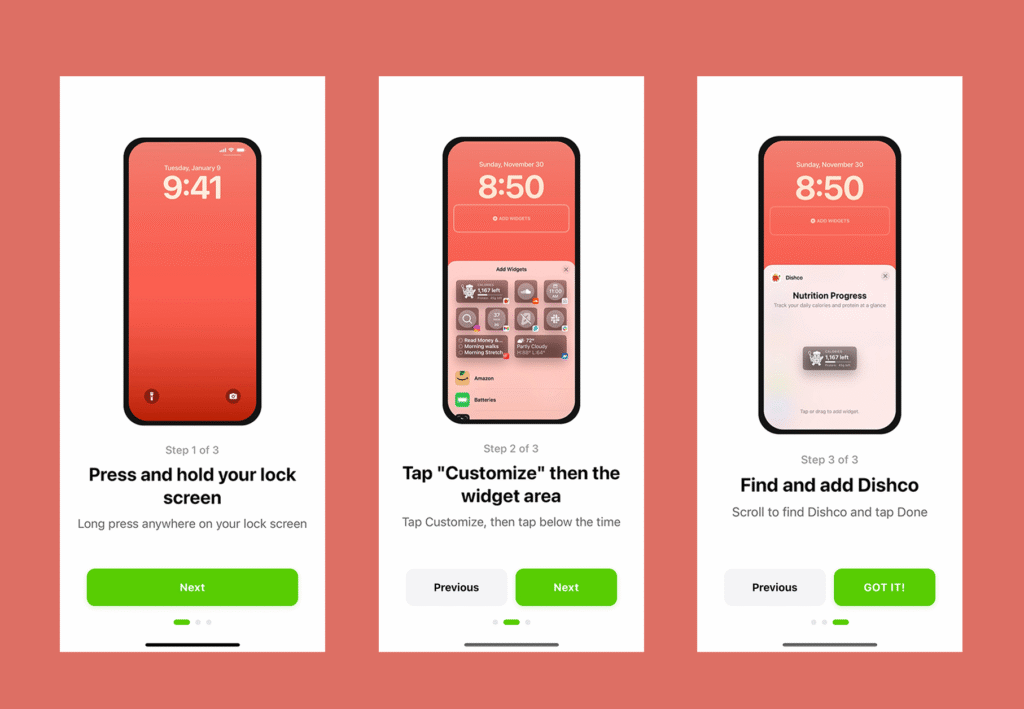
Getting the Dishco widget onto your lock screen only takes a few seconds. Follow these simple instructions and Dishco can help you stay aware, engaged, and on track.