

Looking for MyFitnessPal alternatives that feel lighter than a full food diary homework session? You are not alone. Calorie tracking still works when the app matches how you shop, cook, and stay consistent. This guide compares eight apps like MyFitnessPal on logging speed, free-tier honesty, meal planning, database trust, and whether progress feels motivating instead of heavy.
Quick answer: Our Top-8 picks are Cronometer, Lose It!, FatSecret, MyNetDiary, Dishco, MacroFactor, Foodnoms, and Yazio. Score them on logging UX, database trust, meal plan to grocery, fun consistency, pricing honesty, and platforms. Stay on MyFitnessPal if the restaurant database and habit muscle memory still win for you. Dishco is one earned mid-list pick for iPhone users who want fun consistency plus meal plan to grocery, not a fake #1.
This is not medical advice. Personalize goals to your body, schedule, and preferences. If you need clinical guidance, talk with a qualified professional. Take what fits your week, leave the rest, and treat switching as optional, not a personality upgrade. The goal is a tracker you will open on a tired Tuesday, not a perfect spreadsheet you abandon by Thursday.
Why People Look for MyFitnessPal Alternatives (and When to Stay)
MyFitnessPal still sits in a lot of pockets for a reason. It also frustrates people enough that “apps like MyFitnessPal” is a whole search category. Before you migrate years of meals, get honest about the leave triggers and the stay reasons. A fair commercial list starts with that honesty, not a dunk contest.
Reasons people leave (verify current MyFitnessPal Premium and paywall details at publish):
- Barcode scan or other logging tools feel gated behind Premium after a free stretch
- Ads and upsell screens interrupt the diary flow when you only wanted to add lunch
- Crowdsourced food database entries can feel noisy or inconsistent for packaged foods
- Redesigns or habit friction make daily food logging feel like homework again
- Macro tracking and meal planning sit in separate mental tabs instead of one calm loop
- The app still works, but the vibe got heavier than your actual goals need
Reasons to stay:
- Broad food database coverage, including restaurants and chain meals many smaller apps still under-serve
- Friends, coaches, and shared challenges already live in the ecosystem
- Muscle memory: you already know the search quirks, shortcuts, and “close enough” entries
- Cross-platform habits if you bounce between phone and web during the day
- “Good enough” calorie tracking when you do not need micronutrient depth or a meal plan to grocery path
- Switching would cost more energy than the current annoyances are worth this month
Switching costs are real: history, custom recipes, and friend connections do not always transfer cleanly. That is not a reason to stay forever. It is a reason to trial a new app for a week before you delete anything. Export what you can, screenshot recipes you love, and treat the first seven days as a soft landing, not a loyalty test.
Takeaway: Fit beats fashion. Keep MyFitnessPal if the database and ecosystem still do the job. Shop for a free alternative to MyFitnessPal (or a paid one) only when a specific pain keeps showing up on ordinary weeknights.






Get Dishco on iPhone
How We Compared These Apps
We did not rank these by loudest marketing or biggest claimed food database. We scored the job you actually hire a nutrition app to do: make calorie tracking and food logging sustainable enough that you still open the app after a long day.
- Logging UX: How fast can you search, barcode scan, use AI photo logging, or add food with text or voice? Speed matters more than a feature graveyard you will never tap twice.
- Database trust: Verified entries and reference-quality data beat mystery user-submitted macros. We do not invent database sizes. We note the vibe: verified-first versus crowdsourced-heavy.
- Meal planning + grocery continuity: Can the app move from a day or week plan into a shopping list without a second sticky note app and a forgotten cilantro run?
- Fun consistency / progress feels like winning: Soft gamification and clear progress help you stay on track. Shame streaks and red panic UI do not belong in a lifestyle reset.
- Pricing honesty: What stays free, what hits a paywall, and what needs a week-of-publish verify. Free tier snapshots beat rumor prices copied from last year’s screenshots.
- Platforms: iPhone versus Android versus web. Dishco is iOS only today, and we say that out loud wherever it matters so nobody wastes a download hope.
Takeaway: Score the job you need, not every checkbox. An accuracy tool and a meal-prep lifestyle app can both beat MyFitnessPal for different seasons of your life. Re-rank if your priority shifts from free barcode access to meal planning next quarter.
Quick-Pick Comparison
Skim the table first, then read the deeper reviews. Features and pricing change, so treat free-tier notes as directional and verify the week you switch.
| App | Best for | Free tier snapshot | Platforms | One-line verdict |
|---|---|---|---|---|
| Cronometer | Accuracy and micronutrients | Usable free plan; Gold unlocks more (verify at publish) | iOS, Android, web | Best when vitamins and minerals matter as much as calories |
| Lose It! | Budget MFP-style swap | Core diary free; Premium adds polish (verify at publish) | iOS, Android, web | Closest “feels like MFP” swap without starting over emotionally |
| FatSecret | Free barcode + macros basics | Strong free logging; Premium optional (verify at publish) | iOS, Android, web | Solid free alternative when barcode paywalls wear thin |
| MyNetDiary | Deep free tier | Brand claims a deep free experience (verify at publish) | iOS, Android, web | Worth testing if you want free features without constant upsells |
| Dishco | Fun consistency + meal plan to grocery | 14-day free trial only (lasting free tier unknown) | iOS only | Lifestyle pick when logging and planning should feel like a win |
| MacroFactor | Adaptive macro coaching | Trial then paid (verify at publish) | iOS, Android | Smart targets for people who want coaching math without the bro tone |
| Foodnoms | Privacy-first Apple tracking | Paid Apple app model (verify at publish) | iOS / Apple platforms | Clean choice if you live in Apple Health and hate account sprawl |
| Yazio | Intermittent fasting + tracking | Free tracking with Premium upgrades (verify at publish) | iOS, Android | Best blend when fasting windows and calories share one home screen |
Takeaway: Match the “best for” column to your actual frustration, then trial before you migrate history.
The 8 MyFitnessPal Alternatives
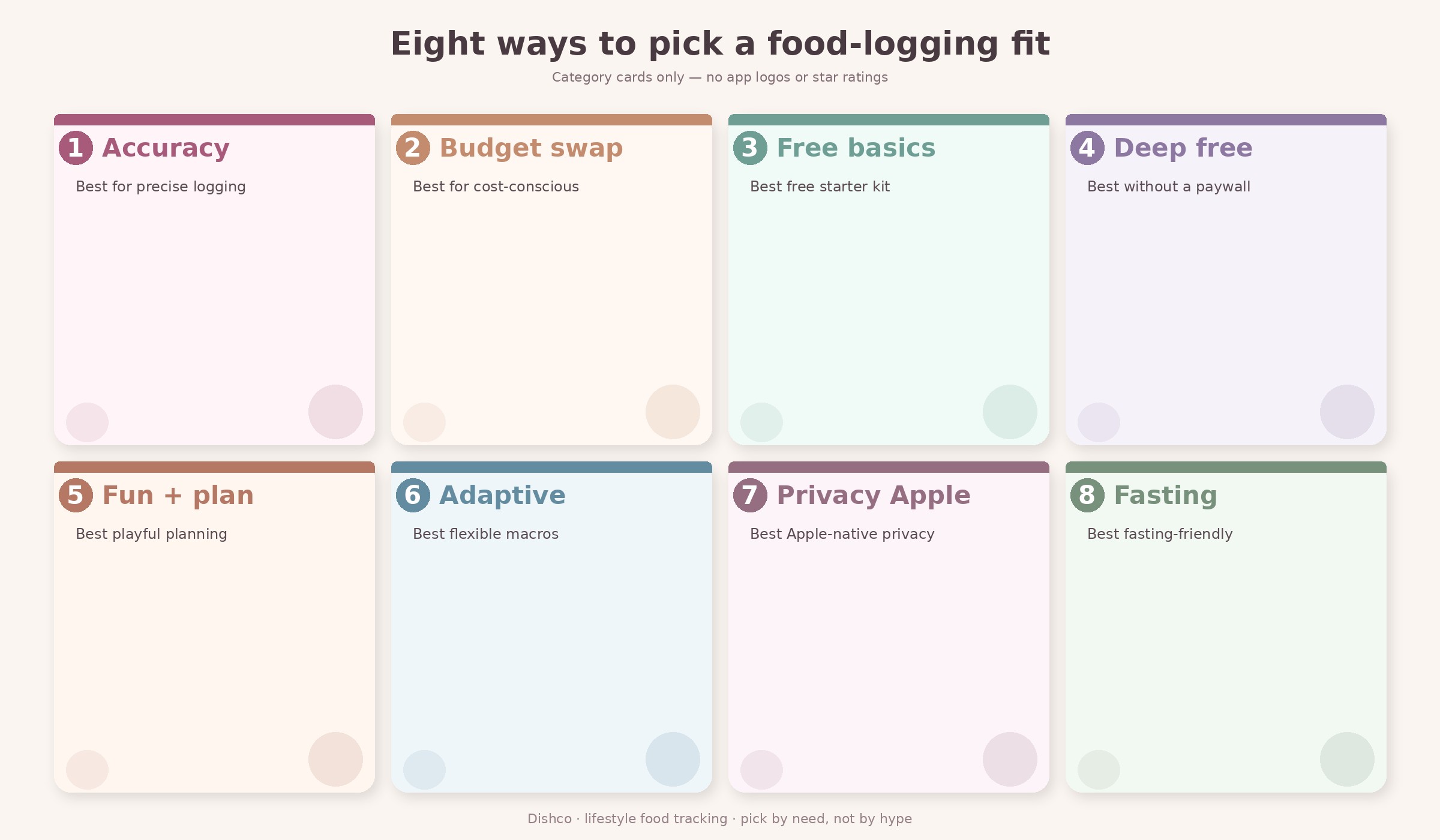
Here is the deeper pass on the same Top-8. Each block covers best for, what stands out, a real downside, a one-breath versus MyFitnessPal note, pricing (verify), and platforms. Read the ones that match your pain first; you do not need all eight demos. Dishco sits mid-list on purpose: earned for fun consistency and meal plan to grocery, not forced to the top of a ranking it did not buy.
1. Cronometer: Best for accuracy and micronutrients
Best for: People who care about vitamins, minerals, and cleaner nutrient depth, not only calories and macros on a Tuesday night plate.
What stands out: Cronometer leans verified and reference-quality food data. Macro tracking still works, but micronutrients are the reason fans stay. If your calorie tracking has felt “close enough” and you want nutrient depth for iron, fiber, or a longer vitamin list, this is the upgrade lane. The diary still does the daily job. The difference shows when you open reports and actually trust what you see.
Downside: The interface can feel more serious than playful. Meal planning and grocery continuity are not the main story. If you want a lifestyle meal-prep loop that ends in a cart, you may still keep a second tool or a paper list. Some people also miss the social and restaurant breadth they had in MyFitnessPal.
vs MyFitnessPal: Cronometer usually wins on nutrient trust; MyFitnessPal usually wins on restaurant breadth and social ecosystem. Pick based on which gap bothers you more after a normal week of eating out versus cooking at home.
Pricing (verify at publish): Free plan is usable for many people. Gold or Premium unlocks more analytics and convenience. Treat any dollar amount you see online as a snapshot, not a forever price.
Platforms: iOS, Android, and web.
Soft tip: a full Cronometer versus MyFitnessPal head-to-head belongs on a separate comparison page later. This listicle keeps Cronometer as the accuracy pick without turning into that essay. If you already know you only care about that duel, park this page and wait for the dedicated compare.
Takeaway: Choose Cronometer when micronutrients and database trust outrank restaurant search and social features.
2. Lose It!: Best direct, budget-friendly MFP-style swap
Best for: Anyone who wants apps like MyFitnessPal with a familiar diary flow and a softer budget path when Premium fatigue sets in.
What stands out: Lose It! feels like the classic calorie counter lane: search, log, see the day. The learning curve is short if you already trained your brain on MyFitnessPal. That matters when switching costs feel emotional, not just technical. You are not learning a new philosophy of food. You are finding a diary that still feels like a diary.
Downside: Premium features and scanner access can shift over time. Free-tier honesty matters here. Confirm what stays free before you promise yourself a forever free barcode workflow. Like most trackers, the polish of charts and insights often lives behind a paywall even when core logging does not.
vs MyFitnessPal: Closest “same job, different brand” feeling in this list. Less about reinventing nutrition, more about a clean swap that respects how you already think about food logging.
Pricing (verify at publish): Core food logging is often free; Premium adds convenience. Re-check scanner and Premium bundling the week you install, because those details move.
Platforms: iOS, Android, and web.
If you want a gentle transition week, log breakfast in Lose It! while dinner stays in MyFitnessPal. Parallel logging for three to five days beats a hard cutover when you are already stressed about macros. Keep custom recipes in a notes screenshot until you rebuild the ones you actually cook twice a week.
Takeaway: Start here if you want the least shocking replacement for an MFP-style food diary and a budget-friendly calorie counter feel.
3. FatSecret: Best free barcode + macros basics
Best for: Shoppers hunting a free alternative to MyFitnessPal with barcode scan and simple macro tracking that still feels usable on a grocery run.
What stands out: FatSecret shows up again and again in free-tier guides because the basics stay usable. Barcode logging, food diary, and macros without an immediate “pay to continue” vibe is the whole point for many readers. If your leave trigger was a paywalled scanner, this is the first app to trial with a real cart in hand.
Downside: Depth and polish vary. Meal planning to grocery is not the hero feature. If you want a plan-first lifestyle app, FatSecret may feel like logging only. Community and restaurant coverage will not always match what you had in MyFitnessPal either.
vs MyFitnessPal: Stronger when free barcode access is the pain. Weaker when you need restaurant coverage, coaching friends, or a social ecosystem that already knows your username.
Pricing (verify at publish): Free logging is the pitch; Premium is optional. Confirm barcode and ad experience on your specific device before you call it a forever free setup.
Platforms: iOS, Android, and web.
A practical test: scan five pantry items and three fresh foods in one sitting. If that loop feels calm, FatSecret may be enough. If you immediately miss meal planning, keep reading. Free barcode access is a feature, not a full lifestyle system, and that is fine when logging speed is the only pain.
Takeaway: Trial FatSecret first when paywalls, not philosophy, made you search for MyFitnessPal-style alternatives.
Get Dishco on iPhone
4. MyNetDiary: Best deep free tier (verify)
Best for: Readers who want a free alternative to MyFitnessPal with more features left unlocked after day one, not only a thin diary shell.
What stands out: MyNetDiary markets a deep free experience compared with trackers that quickly gate barcode or insights. If your frustration is “everything useful is Premium,” this belongs on your shortlist. Food logging, charts, and education-style tools often sit closer to the surface. That does not mean every claim lasts forever. It means the free walkthrough is worth your time.
Downside: Brand-owned comparison pages can sound promotional. Do your own free-tier walkthrough with the features you personally need. Also, a deep free tier can still feel busy if you only wanted a light diary and a quiet home screen.
vs MyFitnessPal: Competitive on free-feature generosity; MyFitnessPal may still win on restaurant database familiarity and the social loops you already built.
Pricing (verify at publish): Free tier is the differentiator claim. Premium exists for people who want more. Walk the free path yourself before you trust any comparison chart copied from a brand blog.
Platforms: iOS, Android, and web.
If you are comparing free tiers side by side, write a three-line checklist before you install: barcode, macros, and one insight screen you actually use. Whichever app clears that list without a paywall wins the week. Do not let a pretty Premium demo screen decide the free verdict for you.
Spend ten minutes tapping only free screens before you judge the whole brand. That quiet audit beats reading another ranked chart.
Takeaway: Use MyNetDiary as your “how much still works without paying” stress test before you commit habit energy.
5. Dishco: Best for fun consistency + meal plan to grocery (iOS)
Best for: iPhone users who want a nutrition app that makes it easier to stay consistent and makes progress feel like winning, especially when food logging should connect to a real meal plan and grocery list instead of living in a separate notes app.
What stands out: Dishco is built for the continuity most diary apps under-serve. You can barcode scan, use AI photo scan, add food with text logging, capture voice through phone dictation, and set manual macros when you already know the numbers. The 3-Minute Meal Game helps you shape a balanced day without staring at a blank calendar. Instant grocery from the plan turns the week into a cart instead of a second app. Recipe import keeps favorites from living only on Pinterest screenshots. XP / Feed the Game keeps the spark on so consistency feels like progress, not punishment.
That combination is the Brand Board story in practice: stay on track, then feel the win. It is not a claim about database brag size. It is about how the week feels when planning and logging share one loop. If your fatigue is less about missing a restaurant entry and more about never turning the diary into dinners and a grocery run, this mid-list slot is for you.
Downside: Dishco is iOS only today. There is no Google Play version yet. Lasting free tier after the trial, paid price, App Store rating, and database size are not claimed here because they are not locked in Product Truth. If you need Android or a forever-free barcode-only diary, pick another row.
vs MyFitnessPal: MyFitnessPal still wins on restaurant breadth and multi-platform habit. Dishco wins when meal plan to grocery and fun consistency matter more than database brag. For a brand-specific compare, see Dishco vs MyFitnessPal.
Pricing (verify at publish): 14-day free trial. Lasting free tier after trial: unknown. Do not assume a lasting free plan just because other apps advertise one.
Platforms: iOS only (App Store).
Takeaway: Keep Dishco mid-list: earned for lifestyle continuity, honest about iPhone-only limits.
Get Dishco on iPhone
6. MacroFactor: Best adaptive macro coaching
Best for: People who want calorie tracking plus targets that adapt as your weight and adherence move, without turning nutrition into a gym-bro identity project.
What stands out: MacroFactor is known for coaching-style math: your intake and trend data help shape future targets. That appeals if static calorie guesses keep missing after a few weeks. Macro tracking is precise, and the app takes logging seriously. You can use it as a calm lifestyle tool even if the louder corners of the internet talk about lifts and cuts nonstop.
Downside: It is usually a paid experience after any trial. If you only wanted a free barcode diary, this is the wrong aisle. The community tone can skew lifter-heavy online, which is fine if that is your world and optional if it is not. You do not need that culture to benefit from adaptive targets.
vs MyFitnessPal: MacroFactor is stronger on adaptive targets and coaching math; MyFitnessPal is stronger on casual restaurant logging and social features you may already use with friends.
Pricing (verify at publish): Expect a trial-then-subscription model. Confirm current pricing before you commit habit energy to a paid coaching lane.
Platforms: iOS and Android.
If numbers calm you down, MacroFactor can feel like relief. If numbers spike stress, pair any tracker with simpler plate habits first and revisit adaptive coaching later. Lifestyle use is allowed even when the loudest reviews talk about training blocks.
Bring a week of honest weights and logged days if you trial it; adaptive tools need real inputs.
Takeaway: Choose MacroFactor when you want smarter targets and honest adherence math, not when you want the cheapest free tier.
7. Foodnoms: Best privacy-first Apple tracker
Best for: Apple-first users who want food logging that respects privacy and sits near Apple Health instead of another sprawling account with endless marketing email.
What stands out: Foodnoms shows up in free-and-privacy conversations as a cleaner Apple-native option. If account fatigue and data sprawl made MyFitnessPal feel heavy, a focused iPhone tracker can feel like a reset. The win is calm software that does the diary job without asking you to join a second social network for lunch.
Downside: Smaller ecosystem than MyFitnessPal. Restaurant coverage and cross-platform sharing are not the headline. Android users should skip this row. If you need friends challenges or coach accounts, look elsewhere in the list.
vs MyFitnessPal: Foodnoms wins on Apple privacy simplicity; MyFitnessPal wins on database breadth and multi-platform reach when your life is not iPhone-only.
Pricing (verify at publish): Often sold as a paid Apple app or unlock model. Check the App Store listing the week you compare, including whether updates change the purchase model.
Platforms: iOS / Apple platforms.
A quick fit check: if Apple Health is already your source of truth for steps and sleep, a privacy-first food logger can reduce dashboard sprawl. If you share meals with a coach on Android, this will not solve that. Keep expectations honest: clean software, smaller ecosystem.
If you hate creating yet another account password, the Apple-native path is half the appeal.
Takeaway: Pick Foodnoms when privacy and Apple Health matter more than a giant restaurant food database.
8. Yazio: Best intermittent fasting + calorie tracking blend
Best for: Anyone pairing intermittent fasting windows with everyday calorie tracking and food logging in one place.
What stands out: Yazio keeps fasting timers and diary habits together. If your “apps like MyFitnessPal” search is really “I need fasting plus calories without two subscriptions,” this blend is the reason it makes Top-N lists. The home screen can show both the clock and the day total, which reduces app hopping during a busy afternoon.
Downside: Premium upsells exist. If you do not care about fasting, you may prefer a simpler diary or a meal-planning lifestyle app instead. Fasting features are only a win when you will use them for more than a weekend experiment.
vs MyFitnessPal: Yazio is stronger when fasting is part of the identity of the week. MyFitnessPal is stronger as a generalist food diary with restaurant depth and a bigger social layer.
Pricing (verify at publish): Free tracking with Premium upgrades. Confirm which fasting tools, barcode tools, and insights stay free on your account before you call it a free alternative forever.
Platforms: iOS and Android.
If fasting is new for you, keep the first week gentle: one window, honest food logging, and no stacked challenges. The app should support the habit, not invent pressure. Pair the timer with meals you already like so calorie tracking stays realistic.
If you already use a separate fasting timer, consolidating can reduce notification noise alone.
Takeaway: Choose Yazio when the fasting clock and the food diary should share one calm home screen.
How to Choose Your MyFitnessPal Alternative
Match the frustration, then trial for about a week. You do not need the “best” app on the internet. You need the one you will open on a tired Tuesday when dinner is leftovers and your patience is thin.
- If barcode paywalls or thin free tiers wear you out → try FatSecret or MyNetDiary as a free alternative to MyFitnessPal, then verify what still works without Premium.
- If accuracy and micronutrients matter most → try Cronometer.
- If you want the closest cheap MFP-style swap → try Lose It!.
- If you want meal planning, grocery continuity, and fun consistency on iPhone → try Dishco (iOS only; see Dishco vs MyFitnessPal for a brand-specific compare).
- If you want adaptive macro targets → try MacroFactor.
- If you want privacy-first Apple tracking → try Foodnoms.
- If intermittent fasting is part of the plan → try Yazio.
- If restaurant coverage and friends already make MyFitnessPal easy → staying can still be the smart call.
While you decide, keep the rest of your routine light. A simple healthy grocery list, a few high volume low calorie foods on repeat, or a gentle volume eating plate habit will help any tracker feel less like chaos. Browse more guides on the Dishco articles hub or start at the Dishco homepage when you want the lifestyle lane in one place.
Takeaway: Name the pain first. Apps like MyFitnessPal only win when they remove that pain for more than three quiet days in a row.
Frequently Asked Questions
What is the best free alternative to MyFitnessPal?
There is no single forever winner. FatSecret and MyNetDiary are the usual free alternative to MyFitnessPal starting points when barcode access and unlocked basics matter most. Cronometer’s free plan can also work if micronutrients are the priority and you are fine with a more serious interface. “Best” depends on whether you need free barcode scan, charts, fasting tools, or simply a clean food diary you will reopen tomorrow. Always walk the free path yourself the week you install, because paywalls move and screenshots go stale.
What is the most accurate calorie tracking app?
Accuracy is a mix of database quality and your logging habits. Cronometer is the consensus pick when people mean nutrient-level trust and verified-leaning data. No app fixes weighing errors, restaurant guesses, or “handful” portions said out loud to the microwave. The most accurate calorie tracking setup is usually a trustworthy food database plus consistent logging, not a magic AI photo that never needs a second look. Use scans as a speed tool, then tidy the entry when the meal matters.
Is Cronometer better than MyFitnessPal?
It depends on the job. Cronometer is often better for micronutrients and database trust. MyFitnessPal is often better for restaurant coverage, social features, and habit familiarity. A full Cronometer versus MyFitnessPal comparison belongs on a dedicated page later; this FAQ stays short on purpose so the listicle does not pretend to be that head-to-head.
Can I transfer MyFitnessPal data to another app?
Sometimes partially, often not perfectly. Exports, CSV workflows, and third-party tools change over time, and custom recipes are the usual pain point. Expect to rebuild favorites and accept that friend connections will not travel. The practical move: run both apps for a week, log new meals in the new app, and keep MyFitnessPal as read-only history until you feel settled. Screenshot any recipes you refuse to lose before you cancel anything.
Is Dishco a MyFitnessPal alternative?
Yes, for iPhone users who want calorie tracking plus meal planning continuity with a lighter, more playful feel. Dishco is a nutrition app focused on consistency and progress that feels like winning, with barcode, AI photo scan, text logging, voice via phone dictation, manual macros, the 3-Minute Meal Game, grocery from plan, recipe import, and XP / Feed the Game. It is not trying to clone every MyFitnessPal social feature or restaurant entry. Think lifestyle continuity, not a database arms race.
Does Dishco work on Android?
No. Dishco is iOS only today. There is no Google Play version at the time of writing. Android readers should use the other seven picks above for a MyFitnessPal alternative that fits their phone, then revisit Dishco if Android support ships later. Platform honesty belongs on a comparison page, even when it is inconvenient for the brand.
Closing
The best MyFitnessPal alternatives are the ones that match your real friction: paywalls, accuracy, free-tier honesty, meal planning, or a tracker that makes consistency feel lighter. Criteria beat brand loyalty every time. Trial for a week, keep what helps you stay on track, and leave the rest without turning the switch into a whole identity project. Your future Tuesday-night self only cares that the app still feels doable.
Get Dishco on iPhone